Using my smart watch to keep tabs on family.
![[Blog] Image placeholder](https://images.ctfassets.net/nywvtjnh7p05/7gT5B1WUEVlA4WBUy3pwHR/607bc4e0635a5733d3b612e8ab2509a8/image-fallback.jpg?w=1920&fm=webp)
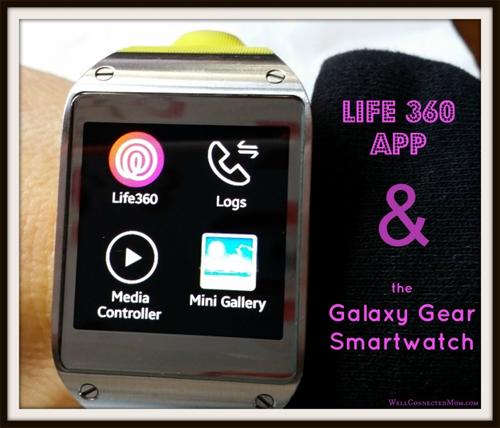
Having not worn a watch for many years, wearing the Samsung Galaxy Gear smartwatch took some getting used to. But now it’s indispensable. Yes, I can check the time, be alerted of incoming texts, take and make phone calls on it, and even take pictures and video on it.
But recently, one app has become available on the Galaxy Gear that has proved to be an incredible convenience. I downloaded the Life360 app onto my smartphone and absolutely love it.
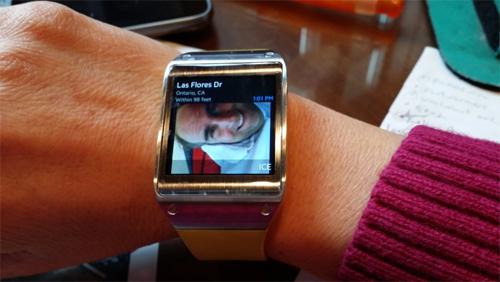
Is he OK?
Life360 has been a great app to keep tabs on my family. My husband is a Deacon at our church and once a month they have a meeting at church that can run late…really late. With Life360, I can check on my phone to know where he is. But now with the Life360 app on my Galaxy Gear smartwatch, I don’t have to get up to go to my phone. I can just check my watch. Love it!
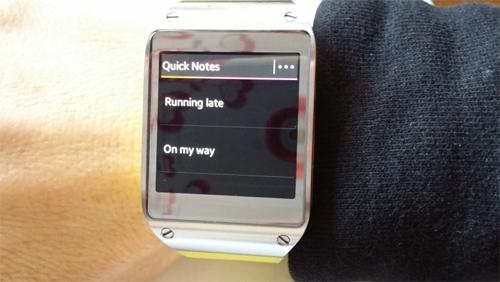
Quick Notes
The Quick Notes feature is so handy. I have experienced a number of times where I would love to send my husband a status quick note before I began driving, but I don’t want to take the time. Now, I can just pull up Quick Notes and select “On my Way” or Running late” to alert him of my status. Love it!
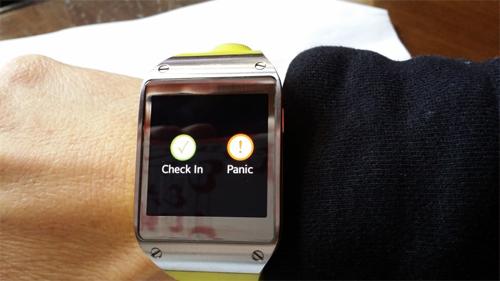
Check-in/Panic
Life 360 updates my family members every so often, but sometimes it helps to give it some extra help. I like that I can check-in on my Galaxy Gear so that when I travel, my husband will know that I arrived to my destination safely. No need to text. I can also click the Panic button to alert my husband of any scary situation I may be in.
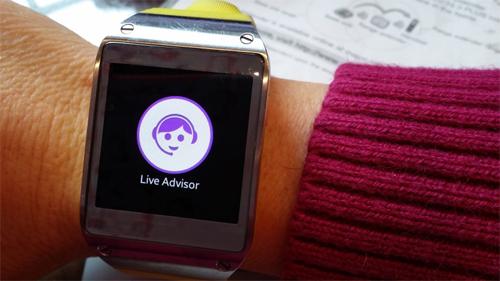
Live Advisor
Now this is cool. With the Premium version of Life360, you have immediate access to a live person…right on your wrist. Calling the Live Advisor can get me help with medical emergencies, auto accidents, help with a tow truck, missing family members, and more.
If I’m in a crisis situation, the last thing I will think of is to grab my phone and open up my Life360 app. But with the app on my wrist, I can get help immediately. And better yet, the Live Advisor will have my exact GPS tracking info. and can provide my location to emergency personnel, tow trucks, etc.
The free Galaxy Gear app shows me that Life360 is committed to innovative ways to help you keep track of your family in convenient ways to make your life a little smoother. You can find the Life360 Galaxy Gear app here.